
Accept a Tile Datashare Invitation

The first step in being able to submit data to another Account is to accept a Datashare invitation. Once accepted - the tile that you submit data into is visible in your Account. An Associated Account will generate a Datashare invitation to your Account. The email will be received by all the users in your account.

Select click here to accept the invitation
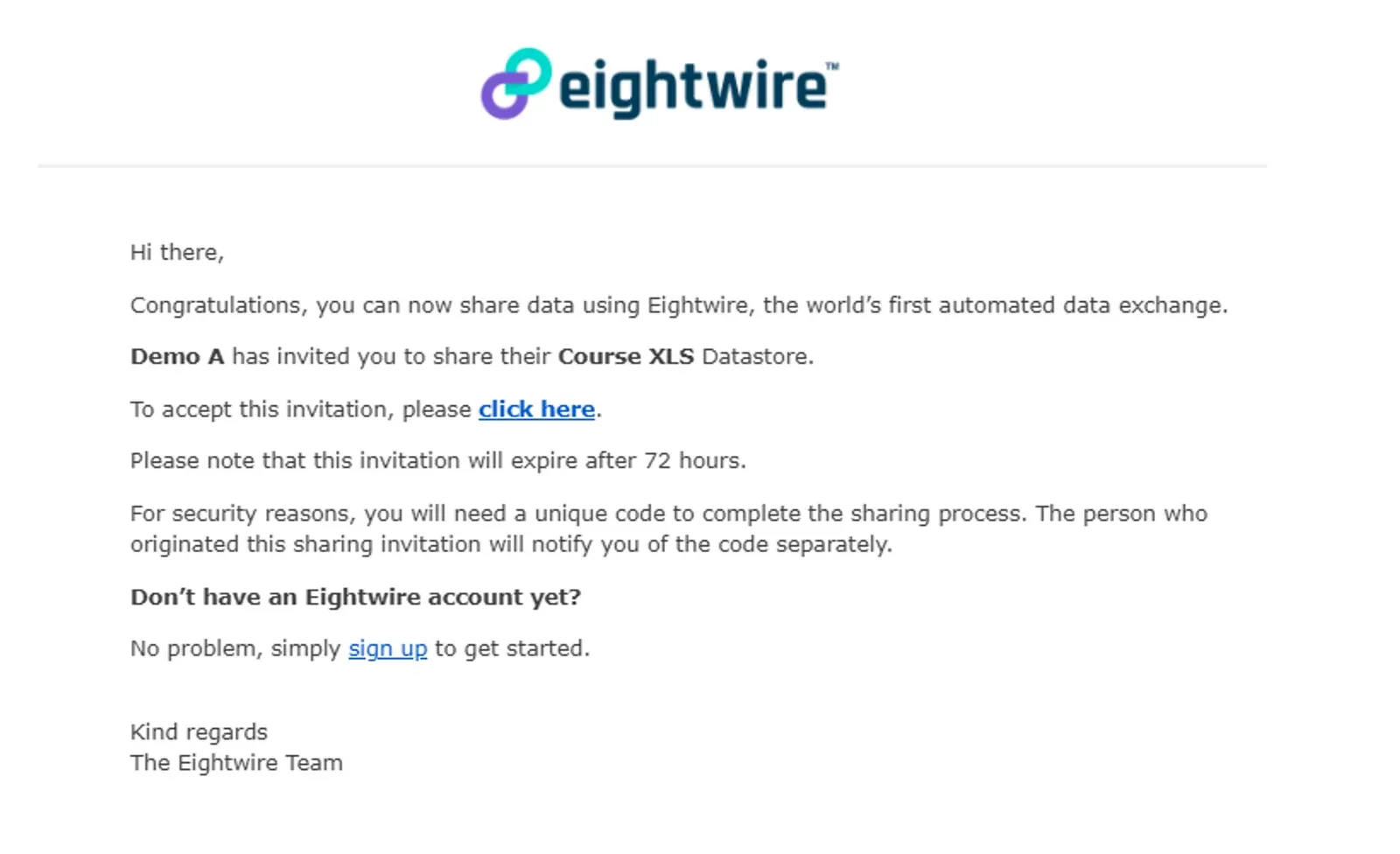
Datashare invitation email from Demo A for the Course XLS Datastore with the click here link and 72-hour expiry

You will be taken to the login page -—enter your Email and Password

The sharing link will appear — it requires a 5 digit PIN — which the Company sending the invitation should have provided to you separately.

Enter the Sharing PIN

Click I Agree
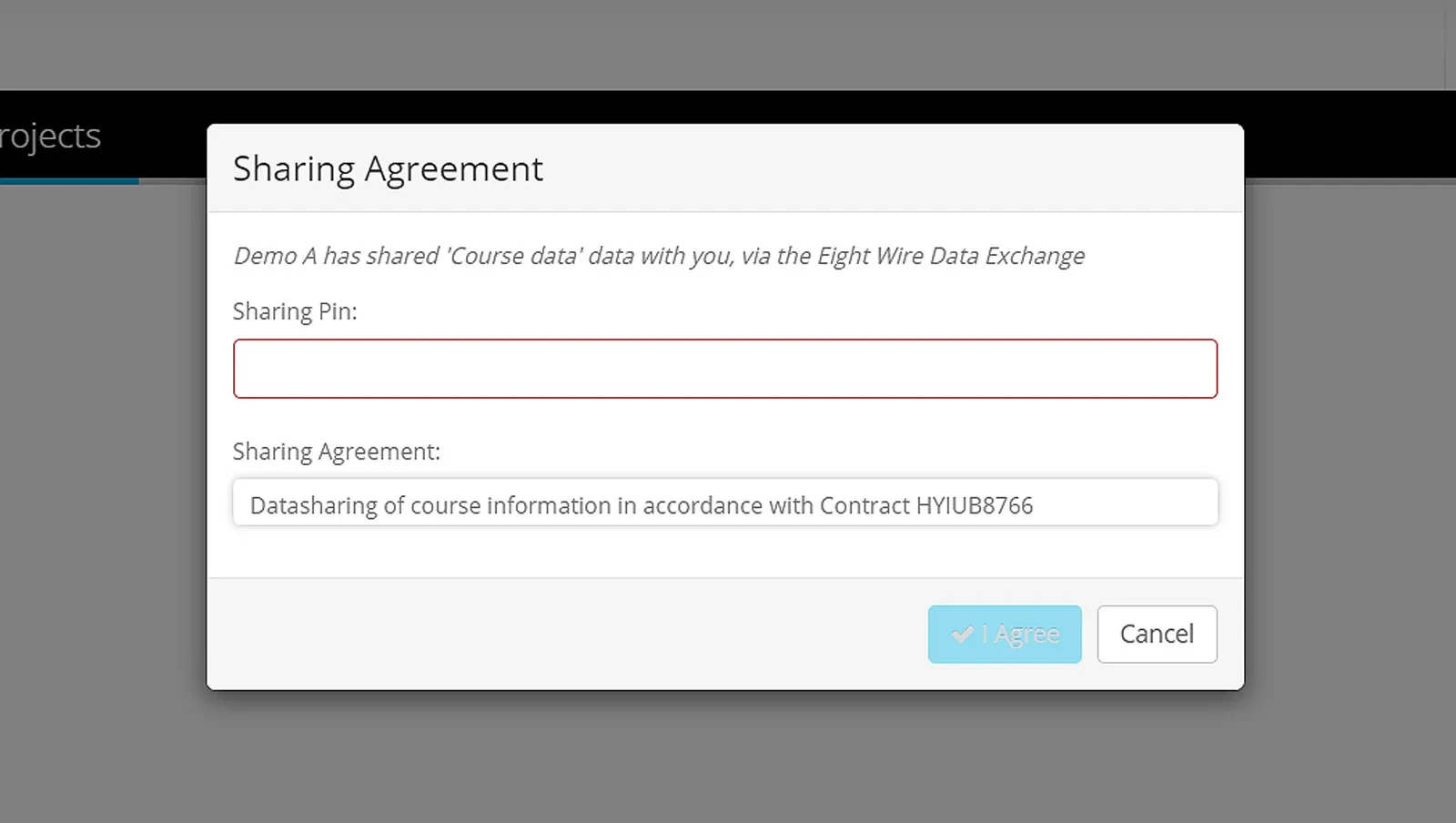
Sharing Agreement dialog with the empty Sharing Pin field outlined in red and the I Agree and Cancel buttons

Refresh the Dashboard to see the Tile appear.
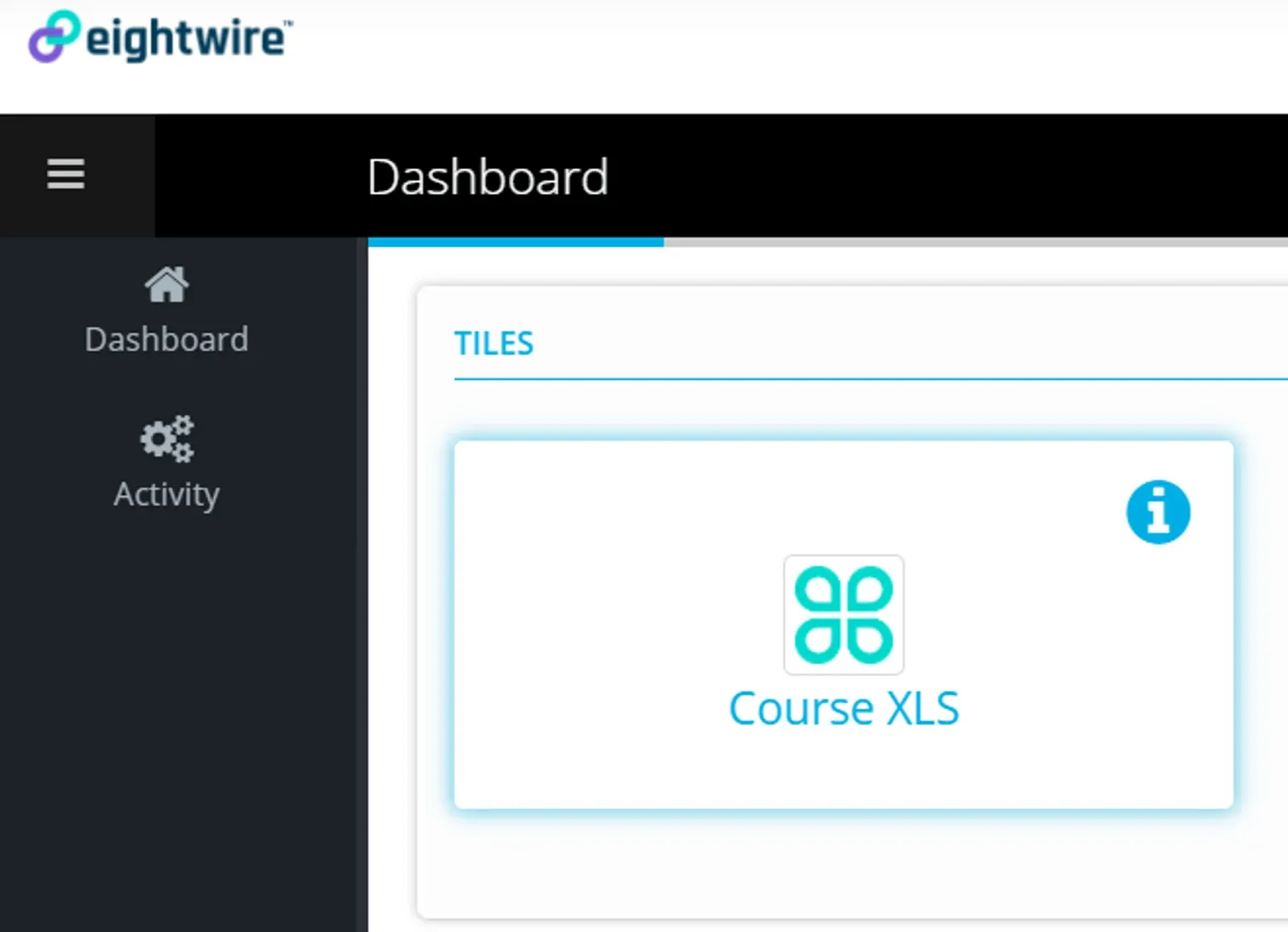
Dashboard with the TILES panel showing the Course XLS tile and its info icon

All the Users in your Account will see the Tile on the dashboard when they log in to the Account.

Congratulations — you are all set up and ready to submit data!

Go to Submit Data using Tile to see how easy it is to get data securely to the destination.

Stuck on this step? Email support@eight-wire.com